
Guides
Upsell and downsell guide: strategy and examples
Learn how upsells, downsells, and one-click checkout work, with pricing examples, funnel setup steps, customer strategies, and tools for digital sellers.
Upsell and downsell guide: strategy and examples
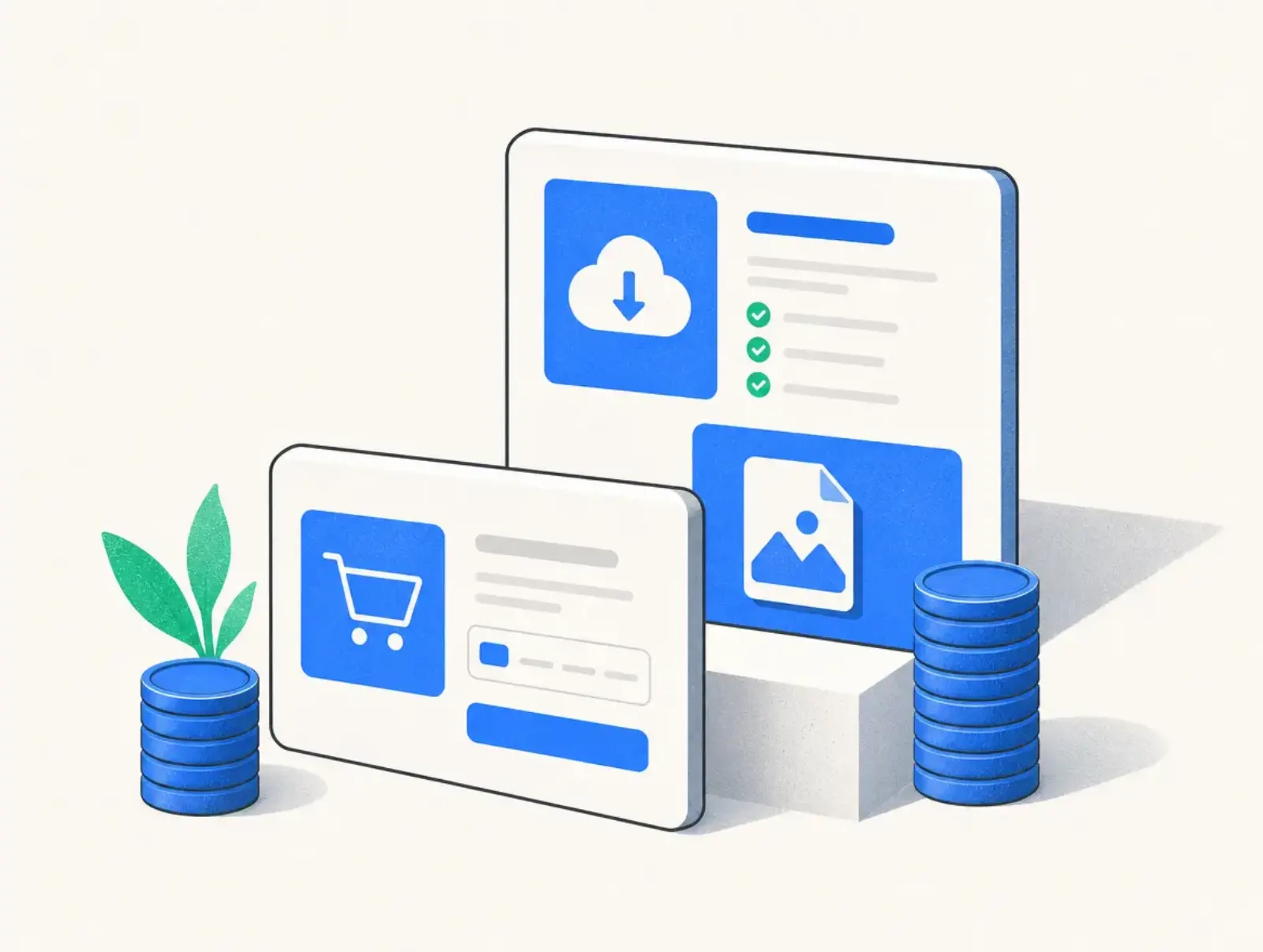
An upsell invites a customer to buy a higher-value version of an offer; a downsell offers a less expensive alternative after a refusal. This guide explains premium upgrades, post-purchase offers, one-click checkout, and how to build an upsell strategy without making the original purchase feel incomplete.
By Seph Fontane Pennock. Published 8 October 2026. Updated 10 October 2026.
What is an upsell?
An upsell is an offer that increases the value of a customer's purchase by moving them to a higher tier, adding services, or expanding what they receive. Traditionally, it means an upgrade. Checkout platforms also use the term for additional offers presented immediately after the first purchase.
That distinction matters: moving from a self-study course to its coached edition is a classic upsell, while selling a separate workbook is a cross-sell even if your software places it on an “upsell page.” Describe the purchase clearly instead of relying on the platform's label.
Plug&Pay uses upsell to mean an offer between successful payment and the confirmation page. Its upsell explanation describes reusing the customer's payment method after acceptance, with no repeat order form. Checked 8 October 2026.
How upsells work in a funnel
A short upsell funnel starts with a complete, useful base product. The additional offer helps the buyer do more with it; declining should still leave them with everything originally promised.
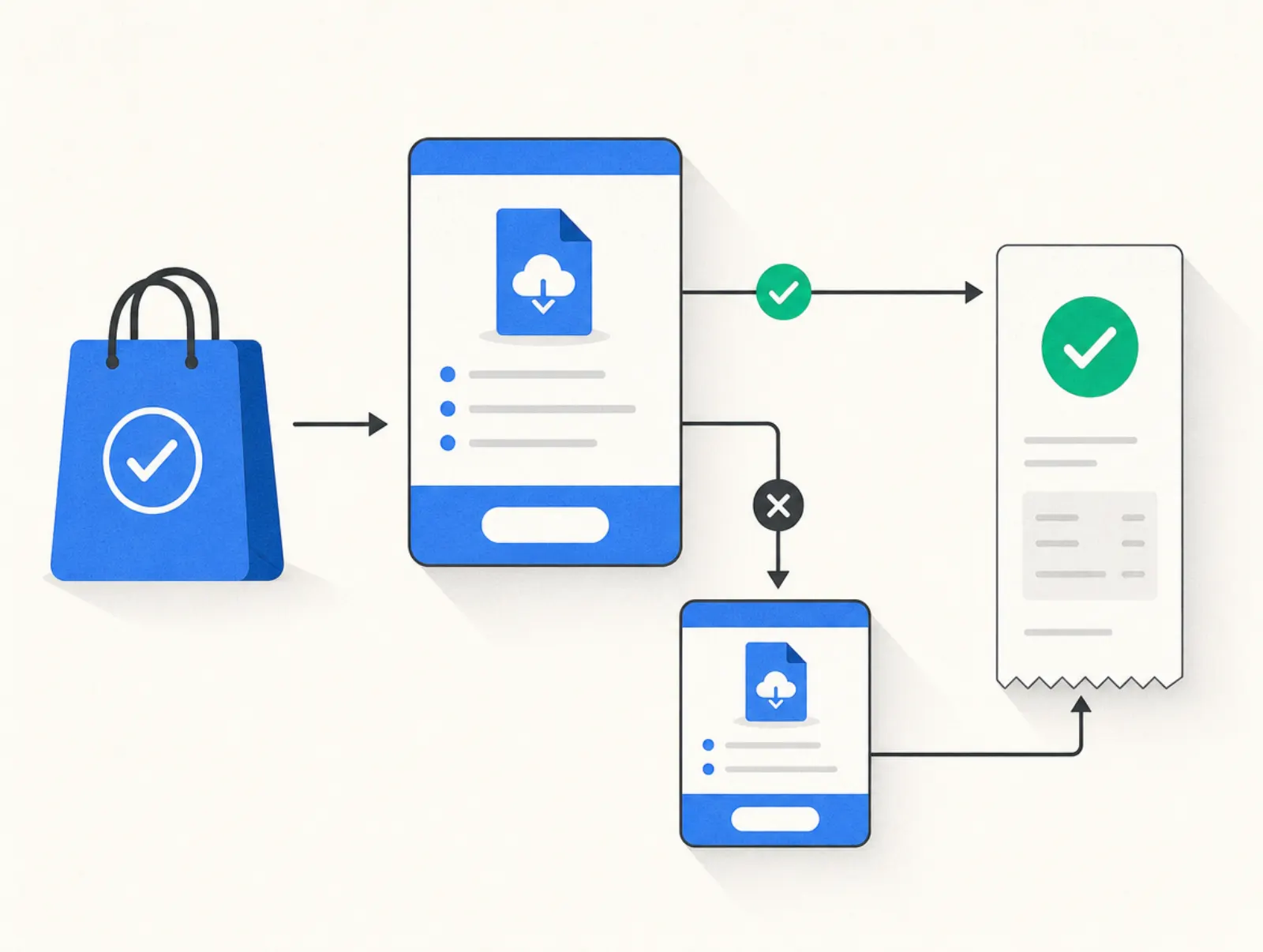
- Complete the initial purchase. Confirm that payment succeeded before showing a post-purchase offer.
- Present one relevant next step. Explain what changes, what it costs, and when the buyer receives it.
- Handle acceptance explicitly. State whether the price is an additional charge, a replacement price, or a recurring commitment.
- Branch after a refusal. Show a smaller downsell if it addresses a plausible objection, or proceed directly to confirmation.
- Deliver every purchase. Send the right receipt and access instructions, including when the customer leaves the offer sequence early.
An upgrade offered before payment usually replaces the selected package. A post-purchase upsell may create another charge. For example, Kajabi's upsell documentation says accepted upsells are separate transactions using the same payment method. Checked 8 October 2026; do not assume every platform groups charges identically.
What is a downsell?
A downsell is a lower-cost or lower-commitment alternative offered after someone declines another offer. It can remove services, reduce scope, or offer a simpler format. In a post-purchase funnel, declining the upsell does not cancel the original order; the downsell is a separate, optional buying decision.
In practice, a downsell is a smaller way to solve the same problem. If someone declines personal coaching, recorded guidance may fit. If they decline because they do not need more guidance, another coaching pitch probably will not help.
An installment plan lowers the immediate payment, but it does not necessarily lower the total price. Label it as a payment option and show the full commitment. Avoid automatically discounting the same offer after every refusal: returning buyers may learn that declining is the route to your real price.
Premium upsell examples
A premium upsell adds a concrete benefit: expert feedback, implementation, broader access, or more capacity. “Premium” is not a reason to pay more by itself. Name the additional work you will do or the capability the customer receives.
These are hypothetical offers created for this guide on 8 October 2026, not vendor prices or market benchmarks. Each downsell replaces the proposed extra offer, not the base purchase.
| Seller and base purchase | Premium upsell | Downsell after refusal | Total with upsell / with downsell |
|---|---|---|---|
| Course creator: $49 self-study course | Add a personal review for $99 | Add a recorded walkthrough for $29 | $148 / $78 |
| Consultant: $300 diagnostic report | Add an implementation session for $200 | Add an action-plan template for $40 | $500 / $340 |
| Template seller: $39 personal-use pack | Upgrade to a $99 commercial-license package for $60 more | Add a setup tutorial for $15 | $99 / $54 |
| Coach: $150 individual session | Add two follow-up sessions for $250 | Add written follow-up feedback for $50 | $400 / $200 |
Source: editorial examples and arithmetic, 8 October 2026. Totals exclude tax and fees; the commercial-license example assumes the original payment is credited toward the upgrade.
Choose the offer to match the buyer's obstacle. Someone who understands the material but struggles to apply it may value feedback. Someone who lacks time may value implementation. Someone who only needs a template should not have to purchase coaching to make the template usable.
One click checkout and one-click upsells
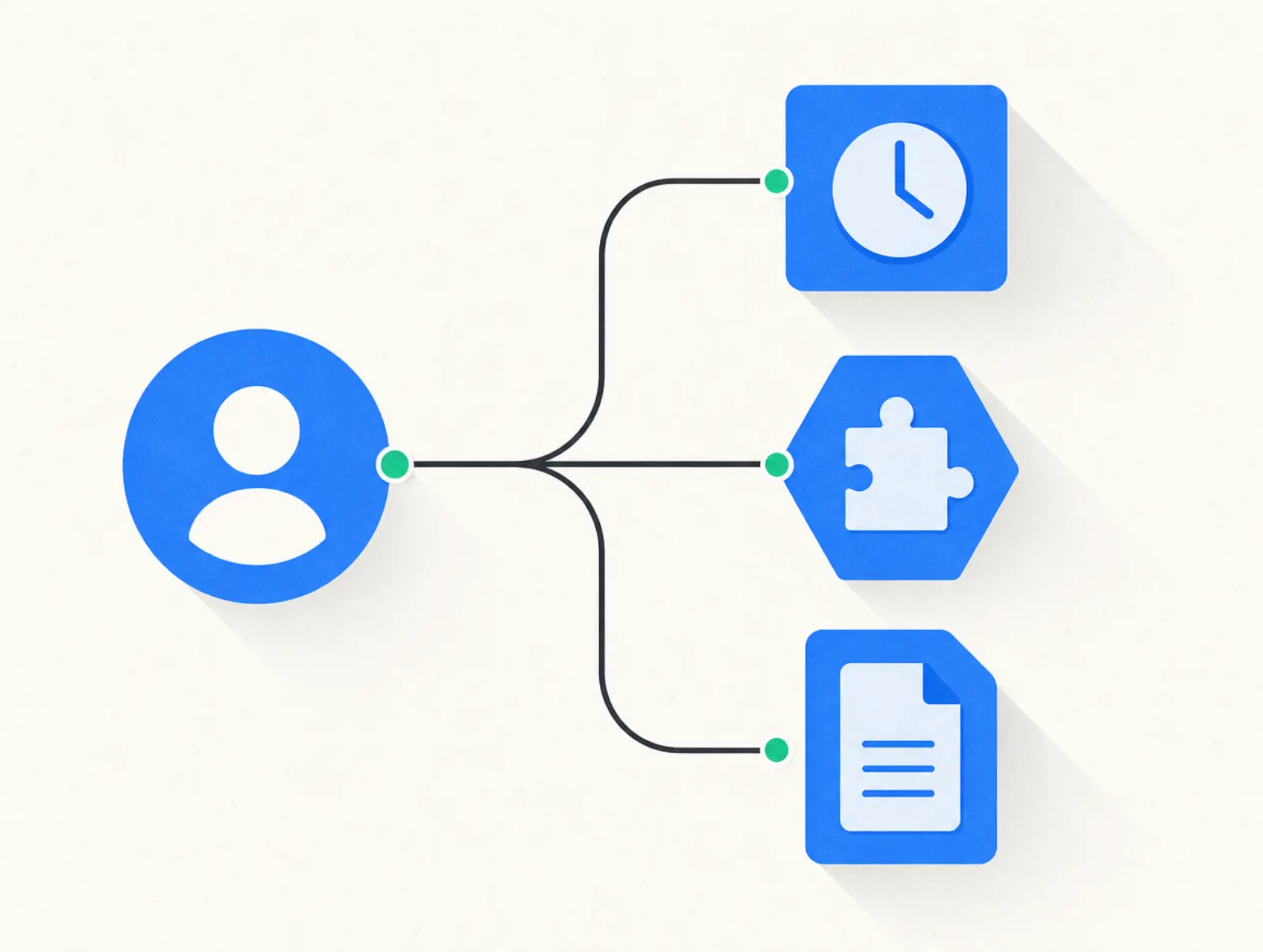
One-click checkout describes a purchase flow that reuses existing customer and payment information to reduce repeat entry. A one-click upsell applies that convenience to an additional offer after the initial purchase. The first transaction still needs a valid payment method and the necessary authorization.
The spellings “1 click checkout,” “1-click checkout,” and “one click buy” describe the same general convenience. They do not tell you which payment methods work or whether an extra authentication step will appear. A “1 click upsell” label also does not make the additional product free or included in the first charge.
For Plug&Pay, the setup requirements specify activating SEPA direct debit and/or credit card in Mollie or Stripe. Checked 8 October 2026. Test the actual payment route your customers use before promising a one-click experience.
Keep the purchase button specific. “Add the personal review” tells the customer what they are accepting; put its additional price beside it. A vague “Continue” button should never be the only indication that clicking creates another charge.
Upsell strategy: choose the next useful purchase
Start your upsell strategy with a customer problem, then choose the timing. An upgrade can appear during package selection, after payment, or after a customer has achieved an initial result. These are different sales moments and deserve different offers.
Write down who qualifies, what evidence suggests a need, and who should be excluded. A beginner buying a starter course may need a guided exercise. An experienced buyer may value expert critique. Existing owners should not receive an offer for material they already purchased.
Protect your delivery capacity as well as your margin. Personal feedback costs time even when the checkout sells it automatically. Cap availability when your calendar is full, and explain turnaround time before payment.
Measure upsell rate and contribution
Define upsell rate as paid acceptances divided by eligible customers who actually saw that offer, multiplied by 100. Count a successful purchase, not merely a button click. Track downsell acceptance against people shown the downsell, not against every initial buyer.
The following is an illustrative calculation dated 8 October 2026, using the course example above. It assumes every base buyer sees the upsell and every person declining it sees the downsell.
| Metric | Assumption or calculation |
|---|---|
| Initial sales | 100 × $49 = $4,900 |
| Upsell sales | 10 × $99 = $990 |
| Upsell rate | 10 ÷ 100 = 10% |
| Downsell sales | 9 × $29 = $261 |
| Downsell rate | 9 ÷ 90 = 10% |
| Total revenue | $4,900 + $990 + $261 = $6,151 |
| Revenue per initial buyer | $6,151 ÷ 100 = $61.51 |
Source: editorial assumptions and arithmetic, 8 October 2026. These are not measured conversion rates or a forecast; amounts exclude tax, payment fees, fulfillment costs, and refunds.
Revenue per initial buyer keeps the comparison useful even when software records add-ons as separate orders. Subtract delivery costs, fees, and refunds before judging the result. Compare against a group receiving no extra offer where traffic allows, and watch whether complaints or cancellations increase.
How to upsell customers
To upsell customers, connect a specific need to a specific improvement. Ask what they are trying to accomplish, identify the gap in their current purchase, and explain how the extra offer closes it. Give them a clear price and an easy way to keep their existing arrangement.
For established customers, review actual use and outcomes before proposing expansion. A customer success upsell strategy might identify clients who have completed onboarding, reached a capacity limit, or requested help with a new task. Unresolved support problems are a reason to fix the service first.
Make the recommendation concrete: “You have finished the course exercises; a review would give you feedback on your own draft.” Then specify the deliverable and timing. This is consultative selling: the recommendation follows evidence, not the fact that a payment method is on file.
Upsell marketing strategy across the customer journey
An upsell marketing strategy coordinates checkout offers, follow-up messages, and personal conversations. Each should reflect what the customer owns and what they have already declined. Repeating the same pitch across every channel can make a modest add-on feel like a campaign against the customer's first decision.
At checkout, focus on an immediately understandable improvement. Later, use a relevant milestone: completing a lesson, requesting a feature, or finishing an engagement. Explain why the next offer is timely, and remove buyers from messages for products they now own.
Test one meaningful change at a time, such as the offer itself or when it appears. A different headline will not repair an irrelevant product. Judge upsell strategies by retained revenue and customer outcomes as well as acceptance.
How to set up an upsell and downsell
In any tool, create the products and delivery rules first. Build the base checkout, attach an upsell, and route rejection to either a smaller offer or confirmation. Give acceptance and refusal distinct buttons, then test both routes and verify the charge, receipt, and product access.
Check mobile layouts and failure cases too. A customer who closes the browser during the upsell should still receive the original purchase. A failed additional payment should not grant paid access or remove access already purchased.
In Plug&Pay
One-click upsells and downsells require Premium or Ultimate. Lite includes order bumps but not these post-purchase offers. Plug&Pay's one-click upsell feature page explains the customer-facing flow; its help center provides the setup instructions.
- Create the upsell product and its checkout. Enable SEPA direct debit and/or credit card with your connected provider.
- Open Pages > Checkouts > select your checkout > Upsells > plus icon. Create an upsell, name it, and choose its product.
- Edit the offer page and its acceptance and refusal text. If your editor creates a draft landing page, publish that page before testing.
- Create the smaller offer, then return to Checkouts > Checkout > Upsells. Select it in the downsell block beside the relevant upsell and save.
- Test from the original checkout. Mark the test payment as paid so the offer appears, then verify both branches and delivery.
Setup sources checked 8 October 2026: creating an upsell, downsell configuration, and testing an upsell landing page. Retrieved help versions show different page editors; the checkout's Upsells tab is the common starting point.
Mistakes to avoid
- Selling the missing half of the base product. Deliver the outcome you originally promised without requiring another purchase.
- Hiding the charge. Show the additional amount and any renewal terms beside the acceptance button.
- Treating refusal as a navigation error. Make the decline option visible and let buyers reach their purchase confirmation.
- Offering unrelated extras. Match the offer to the original goal, not whatever has your highest margin.
- Stacking too many offers. Start with one upsell and, where justified, one downsell before adding more decisions.
- Counting clicks as revenue. Reconcile accepted offers with successful payments, refunds, and delivery costs.
- Overselling personal services. Adjust availability when fulfillment capacity changes; checkout automation does not add hours to your calendar.
Tools that do this
Compare the plan that includes upsells, not just the cheapest advertised subscription. The following tools document post-purchase offers; their delivery features and payment arrangements differ.
| Tool and relevant plan | Price displayed | Fees to budget for | Upsell depth and limits |
|---|---|---|---|
| Plug&Pay Premium | €59/month billed annually (€69 monthly) | No platform fee; Mollie or Stripe processing fees | One-click upsells and downsells; no built-in course hosting |
| Kajabi Basic | $179/month monthly; $143/month billed annually | US Basic Kajabi Payments card rate: 2.9% + $0.30; eligible third-party routes add 2%, excluding PayPal and Kajabi Payments | Reusable upsell/downsell pages with course delivery; Basic has 5 products |
| SamCart Pro | $199/month monthly | No added platform fee on SamPay; displayed processing 2.9% + $0.30; Pro tax collection 0.35% | Branching Smart Upsell Funnels; current Core excludes one-click upsells |
| systeme.io Free | $0 software subscription | 0% platform transaction fee; payment processing remains separate | Upsell/downsell steps; free-account lifetime sales cap of $10,000 |
Prices taken from plugandpay.com/pricing, kajabi.com/pricing, samcart.com/pricing, and systeme.io/pricing on 8 October 2026. Fees and plan limits checked the same day. Kajabi's extra processor fee applies where Kajabi Payments is available; SamCart's tax fee is separate from processing.
Plug&Pay Lite costs €15/month billed annually (€25 monthly) and Ultimate costs €119/month billed annually (€149 monthly). Source: plugandpay.com/pricing, 10 October 2026. Plug&Pay adds no transaction fee of its own; you pay the subscription and your payment provider's processing fees (Mollie or Stripe). Stripe pricing and Mollie pricing, checked 8 October 2026, list separate processing charges.
Feature checks, 8 October 2026: Kajabi upsells, SamCart Smart Upsell Funnels, SamCart plans and fees, and systeme.io setup. The systeme.io revenue cap comes from its subscription help article, checked 8 October 2026, and is additional to its free-plan feature limits.
Trials and cancellation
Terms checked 8 October 2026. These concern your software account, not trials you sell to customers.
| Tool | Trial or free access | Cancellation |
|---|---|---|
| Plug&Pay | 14-day software trial | Pricing FAQ says cancel within the trial before the initial debit; paid agreements renew monthly or annually according to the chosen term |
| Kajabi | Standard 14-day trial | Cancel before trial expiry to avoid billing; account access ends at the current billing or trial period's end |
| SamCart | 7-day trial | Billing > Manage > Cancel My Subscription; complete final confirmation and check the displayed access-end date |
| systeme.io | Free plan without a time limit or credit card | Paid subscriptions: Settings > Manage my subscriptions > Cancel subscription; cancellation takes effect before the next renewal |
Sources: Plug&Pay pricing FAQ linked above; Kajabi trial and cancellation; SamCart plan guide linked above and cancellation instructions; systeme.io pricing linked above and cancellation instructions. All fetched 8 October 2026.
If course delivery is part of your decision, our Kajabi pricing breakdown examines the broader platform cost. A checkout subscription and a course platform solve different parts of the purchase experience.
Two customer perspectives
“Their knowledge base is outstanding.” Madlyne Schoonderbeek, Trustpilot, 2 November 2025.
“But you still need email software and for courses a course platform.” Angelique Schreurs, Trustpilot, 2 November 2025.
Both excerpts were checked 8 October 2026. They describe individual experiences with support and the surrounding software stack, not measured upsell performance.
Related reading
- Sell digital products online: the complete guide
- Stan Store pricing (2026): plans, fees and real costs
FAQ
Order bump vs upsell: what is the difference?
An order bump appears on the initial checkout before payment, typically as a small optional add-on. A post-purchase upsell gets its own offer after the original payment; a traditional upsell can also replace a base package before payment. Our order bump guide explains where the checkout add-on fits.
How to upsell a client without pressuring them?
Start with a need the client has expressed or a gap you can demonstrate. Propose a defined extra deliverable, state the price and timing, and explain what remains included if they decline. For consulting work, agree on the expanded scope before starting it.
Upsell vs downsell: which should come first?
In a post-purchase funnel, show the relevant upsell first and reserve the downsell for customers who decline it. The downsell should reduce cost, scope, or commitment in a way that addresses the likely objection. Both should remain optional after the original purchase.
What should an upsell page include?
State what the buyer has already purchased, what the additional offer includes, and the extra charge. Include delivery timing, any recurring terms, and clear accept and decline controls. Keep the original order confirmation accessible after either decision.
What is a good upsell rate?
There is no universal good upsell rate. Compare acceptance rates only across similar offers and audiences, then check the contribution after fees, refunds, and delivery costs. A higher acceptance rate is not an improvement if each additional sale loses money.
Do one-click upsells work with every payment method?
No, compatibility depends on the payment method and provider enabled on the account. Plug&Pay's setup documentation specifies SEPA direct debit and/or credit card activation with its provider integrations, as checked above on 8 October 2026. Test the selected provider, initial payment method, and upsell product together before launch.