
Guides
Funnel builder: how to build a sales funnel step by step
Learn how to build a sales funnel, choose a funnel builder, connect checkout and email, and test your first offer with current prices and practical examples.
Funnel builder: how to build a sales funnel step by step
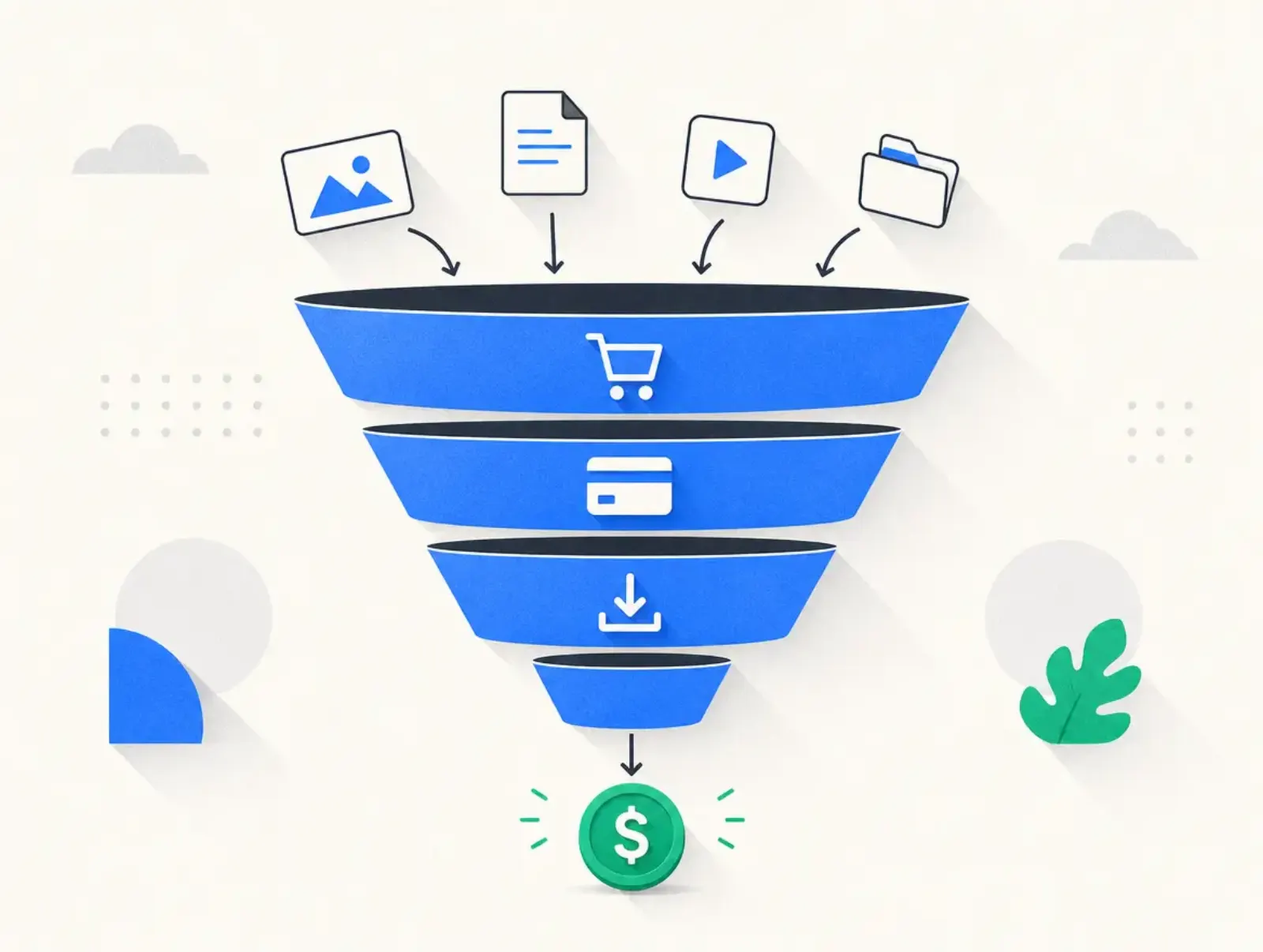
A funnel builder connects the pages, forms, checkout, and follow-up that move someone from interest to purchase. To build a sales funnel, choose one buyer and offer, map the path, create the pages, connect payment and delivery, then test the whole journey. This guide covers those steps, software costs, and reusable examples.
By Seph Fontane Pennock. Published and updated 8 October 2026.
What is a funnel builder?
A funnel builder is software for creating connected steps toward a sale or another measurable action, such as booking a consultation. A sales funnel builder typically combines landing pages, forms, and checkout connections. Email automation, course delivery, quizzes, and reporting may be included or supplied through integrations with separate services.
A funnel page builder handles page design. A marketing funnel builder should also connect the actions between pages: saving a lead, sending the promised resource, recording a purchase, and stopping irrelevant follow-up. Check those connections before comparing templates.
A funnel website builder can create your broader website as well. That does not mean every visitor needs to pass through your homepage before buying. Link each traffic source to the page that answers the visitor's immediate question.
How to create a sales funnel: choose the buyer and offer
Write a short brief before opening any software. Name the buyer, the problem they recognize, the result your product helps deliver, and the action you want them to take. For example: a freelance designer needs a repeatable client proposal process and buys your proposal workshop.
Choose something you can actually deliver. Outline the contents, access period, support, exclusions, and refund terms before writing sales copy. A funnel cannot resolve an offer that changes between the advertisement and checkout.
Match the first step to the buyer's readiness. Someone comparing your workshop may need a sales page immediately. Someone learning about proposals may first want a checklist. Use an opt-in only when the resource helps them move toward the paid offer.
How funnel building works
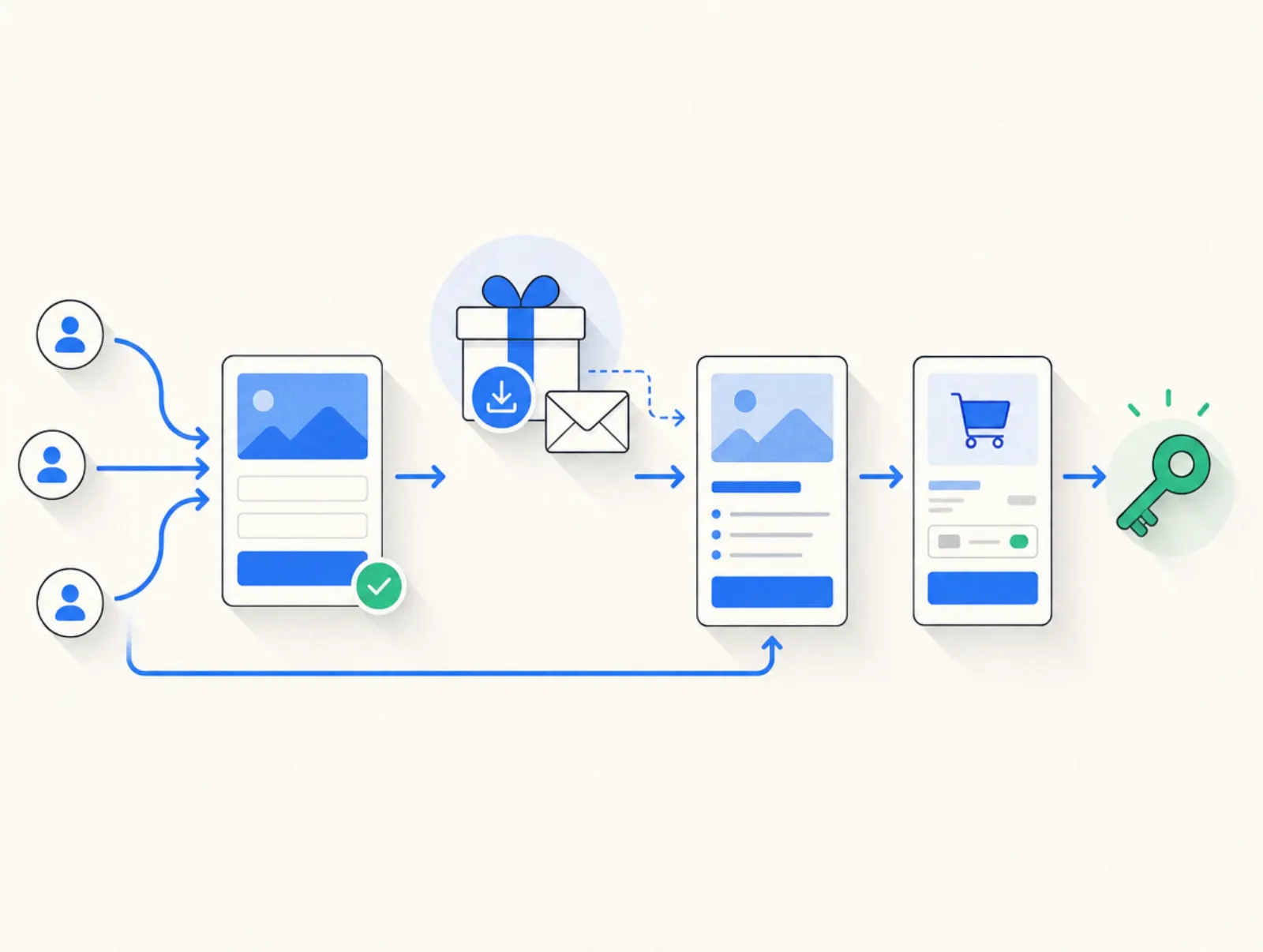
The basic sequence is traffic, a relevant page, a decision, and a confirmed next step. A lead funnel adds permission-based email follow-up between the first visit and purchase. A direct sales funnel lets a ready buyer reach checkout without joining an email list first.
Make each handoff explicit. A form submission should produce both an on-screen confirmation and the promised delivery. A successful payment should produce an order record and product access. Someone who buys should leave the prospect sequence rather than receive another message asking them to buy the same thing.
Examples: reusable funnel templates
These are hypothetical examples created on 8 October 2026. The prices are illustrations, not vendor subscriptions, market averages, or promised results.
| Business | Entry point | Purchase path | Example offer |
|---|---|---|---|
| Course creator | Proposal checklist | Email lesson, workshop page, checkout, access | $49 workshop with an optional $19 template pack |
| Consultant | Service diagnostic | Application, qualification, booking, agreed scope, checkout | $499 strategy session |
| Membership seller | Sample lesson | Membership page, recurring checkout, onboarding | $99 each quarter |
| Digital shop | Product demonstration | Product page, checkout, download instructions | $29 printable bundle |
Use the course template when buyers need to see how you teach. The consultant template gives you room to reject unsuitable projects before payment. The membership template must explain the renewal schedule as clearly as the initial purchase.
An ecommerce funnel builder also needs to match your delivery model. Downloads need working access links; physical products need stock, shipping, and returns workflows. A page that accepts payment is only one part of either system.
How to build a sales funnel: set it up step by step
1. Map the pages and events
List each page and what advances the visitor: submitting a form, following a sales link, or completing payment. Keep the first version focused on one offer. Building sales funnels becomes harder to diagnose when several products, audiences, and traffic sources launch together.
Write down what each system owns. Your page editor might collect the lead, an email service sends follow-up, and a payment provider confirms the transaction. Decide which event starts delivery so that an unpaid order cannot receive paid access accidentally.
2. Build the landing page and form
Lead with the result and show exactly what the visitor receives. Use product samples or permissioned customer evidence where available. Give the primary button a specific label, such as “Get the proposal checklist,” and remove navigation that distracts from that task.
Ask only for information you need at this stage. Explain what email the person is signing up for. Test the form with a fresh address and check that its confirmation reaches an inbox you can inspect.
3. Write follow-up around buying questions
Deliver the resource first, then explain its practical use. Subsequent messages can demonstrate the paid product, answer a common objection, and invite the reader to the offer. Keep each message useful even if the reader does not purchase immediately.
Define exit conditions before activating automation. A purchase should stop the corresponding sales sequence; an unsubscribe should stop marketing messages. Confirm that these events pass between your checkout and email service instead of assuming an integration handles everything automatically.
4. Connect checkout and fulfillment
Make the product name, currency, total, billing interval, and delivery promise consistent across the sales page and checkout. For recurring offers, say what happens at renewal and how buyers manage cancellation. Our checkout page guide covers the details to put near the payment button.
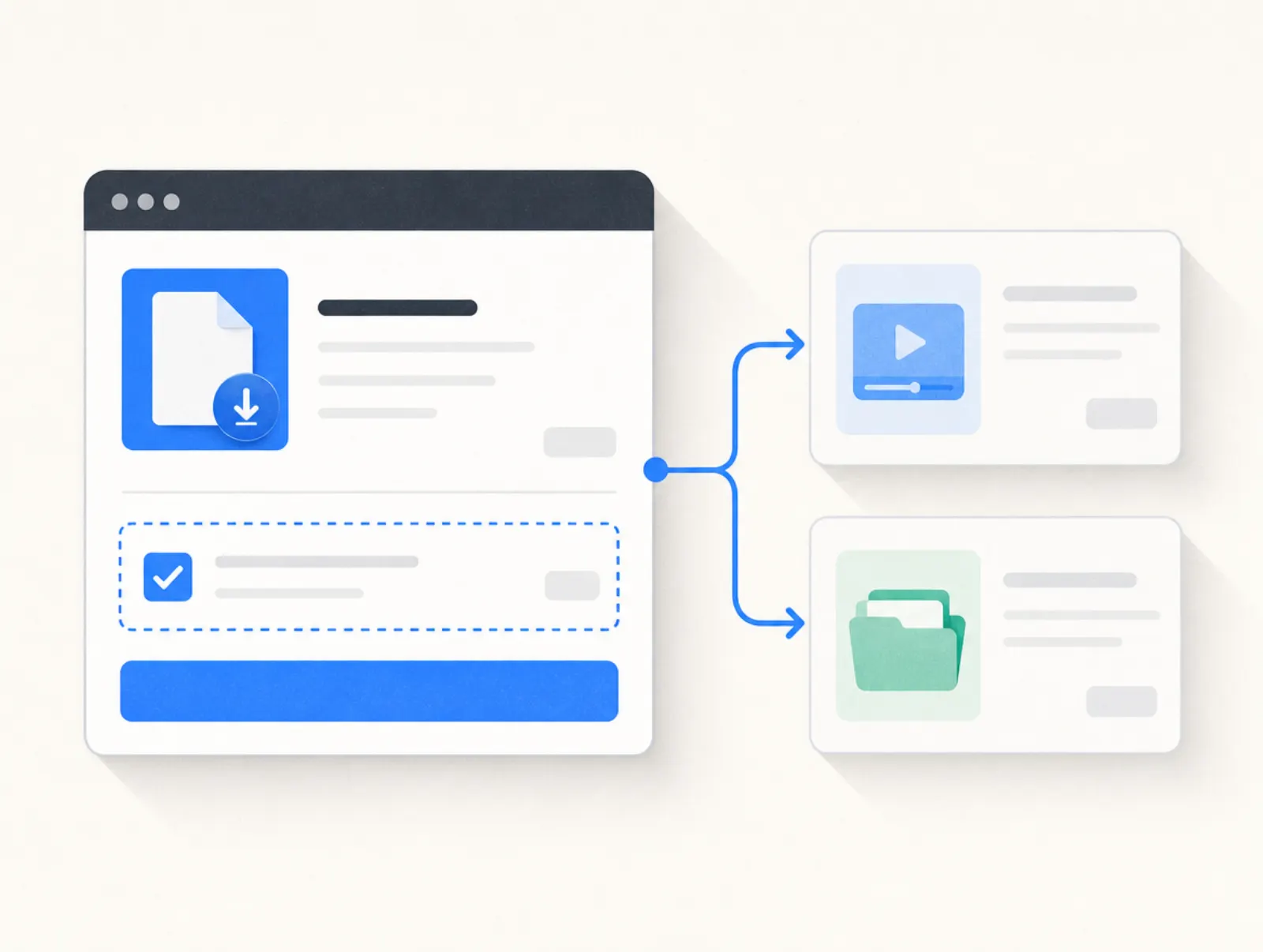
Start without extra offers if you have not validated the main purchase. Later, an order bump at checkout can add a relevant accessory. Check that declining it leaves the original order intact and that the final total matches the selected products.
5. Test before sending traffic
Walk through the published funnel on a phone and desktop. Test successful signup, invalid form entries, successful payment, declined payment, delivery, and the buyer's exit from prospect emails. Use the provider's supported test mode where available; a visual preview does not establish that payments work.
Also test the paths people abandon. A visitor who closes checkout should not be marked as a buyer. Someone opening the thank-you URL directly should not create a sale in your reporting. Record purchases from confirmed order events, not page views alone.
6. Measure the stage that needs work
Use a consistent reporting period and distinguish unique visitors from repeated visits. Track form completions, checkout starts, confirmed orders, refunds, and collected revenue. These definitions matter more than a dashboard filled with percentages you cannot reconcile.
| Metric | Calculation | What to investigate |
|---|---|---|
| Opt-in rate | Completed forms divided by unique opt-in visitors | Promise, traffic relevance, form friction |
| Checkout completion | Paid orders divided by checkout starts | Payment errors, unexpected costs, unclear terms |
| Revenue per visitor | Collected revenue divided by unique funnel visitors | Offer economics across the whole path |
These are measurement definitions, not conversion benchmarks. Change one substantial element at a time and compare similar traffic. A small sample or a different traffic mix can make an apparent improvement meaningless.
In Plug&Pay
For an opt-in funnel, open Pages > Landing pages > Create Page, choose an opt-in template, then enter your offer or upload the giveaway PDF. Review the generated pages and form under Tools > Forms. Check its Email tab for delivery settings. Custom email templates require Premium. Opt-in setup instructions, checked 8 October 2026.
For the paid step, create your product first. Open Pages > Checkouts > Create checkout, select the product and template, and complete General and Content. Use Rules for external connections, then link a button on your sales page to the hosted checkout. Checkout setup instructions, checked 8 October 2026.
Lite covers a basic funnel with forms and order bumps. Premium adds subscriptions, one-click upsells, and A/B testing; Ultimate adds the affiliate system. The pricing table below gives the plan costs. Plug&Pay's funnel features cover the sales path; budget separately for course hosting and extended email sequences where needed.
Funnel building mistakes to avoid
- Starting with software instead of an offer. Decide what the visitor should buy and why before choosing a template.
- Adding steps without a purpose. Each page should answer a question or collect something necessary for the next action.
- Treating a form as a complete quiz. Result scoring and branching require their own logic and testing.
- Hiding recurring charges. State the billing interval beside the offer and again at checkout.
- Sending buyer emails to prospects. Use confirmed purchase events to trigger delivery and change follow-up.
- Optimizing clicks instead of orders. A more appealing button can attract less qualified visitors. Check completed purchases and refunds too.
- Skipping cancellation research. Record trial deadlines, renewal terms, and export options before connecting your live business.
Sales funnel software: best sales funnel builders by use case
These four funnel builders suit different jobs. The table compares starting plans, material limits, and fee caveats rather than assigning an overall winner. Payment processing is a separate cost even when software advertises no transaction fee.
| Sales funnel builder | Starting subscription | Useful for | Limits and fee caveats |
|---|---|---|---|
| systeme.io | Free plan; Startup $17/month | Combining funnels and email on a small budget | Free: 2,000 contacts, 3 funnels, 1 course; $10,000 lifetime sales cap. No platform transaction fee; processor fees remain |
| Plug&Pay | Lite €15/month billed annually (€25 monthly) | Connecting opt-ins to hosted checkouts and order bumps | Lite: 3 products, 10 pages; course hosting separate. No platform fee; Mollie or Stripe processing fees |
| ClickFunnels | Launch $97/month, or advertised $81/month billed annually | Funnel pages with email and course tools | Launch: 10,000 contacts, 50,000 emails/month. Unlimited funnels labeled limited time. Vendor says no sales percentage; confirm payment gateway costs separately |
| Kajabi | Basic $179/month, or advertised $143/month billed annually | Course delivery, email, website, and funnels together | Basic: 5 products, 2,500 contacts. Payment fees apply; applicable third-party surcharge is 2%, excluding PayPal and Kajabi Payments |
Prices taken from systeme.io/pricing, plugandpay.com/pricing, clickfunnels.com/pricing, and kajabi.com/pricing on 8 October 2026. Prices retain their original currencies.
The systeme.io sales cap comes from its subscription limits article, checked 8 October 2026. Kajabi's extra processor fee applies only where Kajabi Payments is available, according to its fee documentation, checked the same day. Read our Kajabi pricing breakdown for the wider plan comparison.
Plug&Pay pricing
| Plan | Monthly | Billed annually, per month | Annual total |
|---|---|---|---|
| Lite | €25 | €15 | €180 |
| Premium | €69 | €59 | €708 |
| Ultimate | €149 | €119 | €1,428 |
Prices taken from plugandpay.com/pricing on 10 October 2026. Prices exclude VAT. Plug&Pay adds no transaction fee of its own; you pay the subscription and your payment provider's processing fees (Mollie or Stripe).
Trials and cancellation
- Plug&Pay: A 14-day free trial applies before the first debit. Cancel within that period to avoid payment. Monthly contracts end monthly, annual contracts end annually; downgrades take effect at renewal.
- systeme.io: Its free plan has no expiry or card requirement. Paid subscriptions can be canceled through Settings > Manage my subscriptions, with final confirmation required. Cancellation help, checked 8 October 2026.
- ClickFunnels: Its pricing help describes a 14-day trial, but the signup offer sets the actual period. Its terms require cancellation at least 24 hours before trial end and specify advance notice for paid renewals. Complete every confirmation in the cancellation flow. Sources checked 8 October 2026.
- Kajabi: The standard trial lasts 14 days; card-backed signup bills at trial end unless canceled beforehand. Some automation actions remain unavailable during the trial. Cancellation ends access at the billing or trial period's end. Trial information and cancellation instructions, checked 8 October 2026.
Choosing the best funnel builder for your business
The best funnel building software fits your delivery model and the tools you already pay for. Replacing a working course platform may create more work than connecting a new checkout. Conversely, a seller starting from nothing may value having pages, email, and course delivery together. Our funnel software roundup compares more options.
Use the same small funnel to evaluate shortlisted sales funnel builders. Build a page, collect a lead, receive the resource, and test the purchase handoff. A drag and drop funnel builder is convenient only if the mobile layout and integrations also work.
User reviews point to things worth testing yourself; they do not establish typical results:
“Easy to use, it always works, intuitive dashboard.” Michel, Trustpilot, 31 October 2025.
“The explanation could be a bit more structured.” Your Headstart, Trustpilot, 28 October 2025.
Both comments concern Plug&Pay and were fetched on 8 October 2026. They are individual experiences. Test the documentation and editor yourself before moving existing customers.
AI funnel builder: where automation helps
An AI funnel builder can draft page structure and copy from an offer description. Plug&Pay's landing-page documentation, checked 8 October 2026, describes this generation step and the option to skip it. Treat the result as a draft that needs your product details and evidence.
Check every promise, price, testimonial, and delivery statement before publishing. Then test buttons, forms, payments, and access separately. Generated copy does not prove that those connections work. For a free AI funnel builder, verify whether the free allowance includes publishing and integrations or merely a page preview.
FAQ
How do I create a sales funnel for free with a free funnel builder?
Start with a free sales funnel builder, one opt-in resource, a sales page, and a delivery process. The systeme.io free plan in the table is an ongoing option within its published limits, including the lifetime sales cap. Free funnel builder software does not remove payment-processing costs or the work of attracting visitors.
What is the difference between funnel builder software and a website builder?
A website builder organizes pages for browsing; funnel builder software connects actions toward a specific outcome. There is overlap, so judge an online funnel builder by its forms, checkout handoffs, automation, and reporting. A website funnel builder can do both jobs if those connections are included.
What is the best sales funnel builder for a beginner?
Choose the smallest plan that supports your complete purchase and delivery path. A free plan can suit a first experiment, while built-in course delivery or specialized checkout features may justify a paid subscription. The best free funnel builder is one you can keep using within its limits, not simply one with a free trial.
What does a quiz funnel builder need to do?
A quiz funnel builder should collect answers, apply branching or scoring, show the appropriate result, and route the lead into relevant follow-up. Test every result path and make sure the recommendation matches the answers. A standard form alone does not establish these capabilities.
How do I create a funnel for affiliate marketing?
Build a useful tutorial, comparison, or resource page around the buyer's problem, then direct interested readers to the merchant's offer. Explain your commercial relationship clearly and check the affiliate program's rules before using email or paid traffic. A free funnel builder for affiliate marketing still needs working referral tracking; the merchant controls checkout and delivery.
How is an order bump different from an upsell?
An order bump adds an optional item during checkout. A post-purchase upsell presents another offer after the original payment. Start with the main funnel, then add either only when it helps the customer complete the task they came to solve.